Toggle Nav


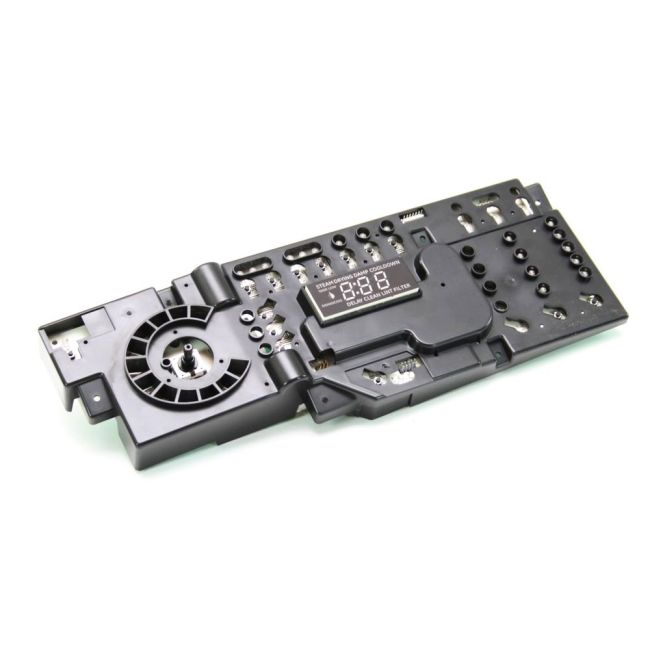


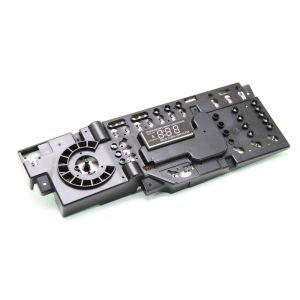
General Electric User Interface Board WE4M513 OEM Part
was
$343.99
Special Price
$244.99
This manufacture part number # WE4M513 replaces our competitor’s part numbers: AP4980906, 1811217, AH3487199, EA3487199, PS3487199, WE4M514, B0081E9YP4.
MFG Number
WE4M513
Availability:
In stock
In stock items are shipped the same day on all orders made before 4 PM Eastern Time. Orders made after 4 PM Eastern Time, Weekend or a Holiday will ship the following business day.
This component serves as a genuine replacement user interface board for dryers, designed to fit brands such as General Electric, Hotpoint, RCA, and Sears-Kenmore. It acts as the main circuit board interfacing with the control panel buttons to manage various dryer settings. Should your dryer's buttons become unresponsive, replacing the interface board may resolve the issue, offering a relatively uncomplicated solution.
To install the replacement board, begin by unplugging the dryer from its power source. Move the dryer away from the wall to access the upper back panel. Once the panel is removed, the interface board will be exposed. Gently remove the board from its mounting brackets and disconnect the wiring harness. Attach the harness to the new board, secure it in place with the brackets, and reattach the panel.
This Original Equipment Manufacturer (OEM) part is available for separate purchase and is guaranteed to be compatible with the specified dryer models.
To install the replacement board, begin by unplugging the dryer from its power source. Move the dryer away from the wall to access the upper back panel. Once the panel is removed, the interface board will be exposed. Gently remove the board from its mounting brackets and disconnect the wiring harness. Attach the harness to the new board, secure it in place with the brackets, and reattach the panel.
This Original Equipment Manufacturer (OEM) part is available for separate purchase and is guaranteed to be compatible with the specified dryer models.
Write Your Own Review
Loading compatible models...