Toggle Nav


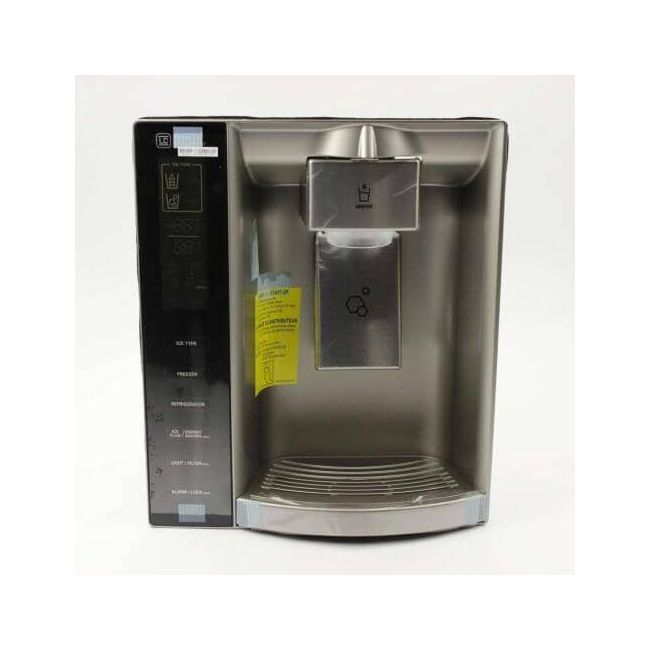


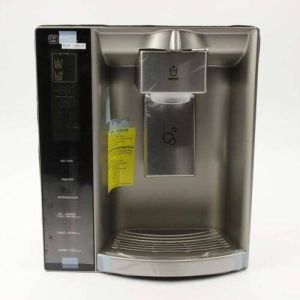
Refrigerator Display Cover Assembly ACQ75432188 OEM Part
was
$433.00
Special Price
$292.99
ACQ75432188 replaces PS8748531, AP5782961, 2701764.
MFG Number
ACQ75432188
Availability:
In stock
In stock items are shipped the same day on all orders made before 4 PM Eastern Time. Orders made after 4 PM Eastern Time, Weekend or a Holiday will ship the following business day.
Refrigerator Display Cover Assembly Instructions
This comprehensive guide outlines the installation process for an original refrigerator cover assembly, suitable for models produced by LG and Sears-Kenmore. The cover functions as a protective enclosure for the control buttons and water dispenser on the refrigerator. Replacement becomes necessary if the cover exhibits signs of damage or fails to operate properly, and the procedure is relatively straightforward.
To begin, ensure the refrigerator is disconnected from its power source to eliminate any risk of electrical shock. Proceed by opening the freezer door to access the side panel, which must be removed by extracting the screws that hold it in place. Once the screws are out, identify the mounting tabs securing the display cover and gently release them. Push the cover outward to remove it from the unit.
To install the new display cover, align it correctly and snap it securely into position. Reattach the side panel using the screws, and then restore the refrigerator's power connection.
This replacement part is manufactured by the original producer, guaranteeing both compatibility and dependable performance with your LG refrigerator model.
This comprehensive guide outlines the installation process for an original refrigerator cover assembly, suitable for models produced by LG and Sears-Kenmore. The cover functions as a protective enclosure for the control buttons and water dispenser on the refrigerator. Replacement becomes necessary if the cover exhibits signs of damage or fails to operate properly, and the procedure is relatively straightforward.
To begin, ensure the refrigerator is disconnected from its power source to eliminate any risk of electrical shock. Proceed by opening the freezer door to access the side panel, which must be removed by extracting the screws that hold it in place. Once the screws are out, identify the mounting tabs securing the display cover and gently release them. Push the cover outward to remove it from the unit.
To install the new display cover, align it correctly and snap it securely into position. Reattach the side panel using the screws, and then restore the refrigerator's power connection.
This replacement part is manufactured by the original producer, guaranteeing both compatibility and dependable performance with your LG refrigerator model.
Write Your Own Review
Loading compatible models...