Toggle Nav


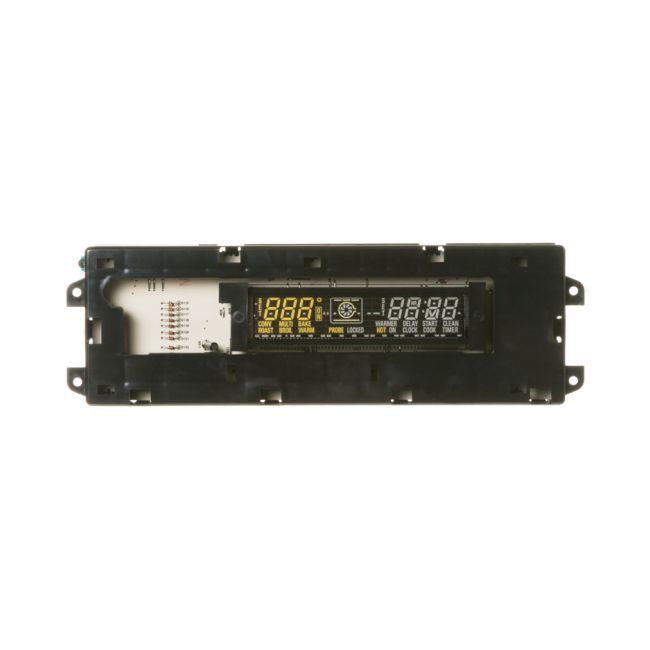


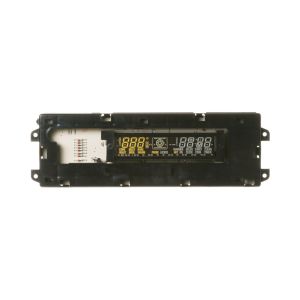
General Electric Glass Touch Electronic Control Board WB27K10145 OEM Part
was
$347.00
Special Price
$299.00
This manufacture part number # WB27K10145 replaces our competitor’s part numbers: AP3778818, 1086150, AH953676, EA953676, PS953676, WB27K10087, B004Q41FZA.
MFG Number
WB27K10145
Availability:
Out of stock
The Glass Touch Electronic Control Board is an authentic OEM replacement component compatible with select models from General Electric, Hotpoint, and RCA. This part functions as the primary control interface for the oven's glass touchpad, overseeing key functions and settings. Should the touchpad fail to respond, the control board might require replacement.
To replace the glass touch electronic control board, follow a straightforward process. Start by disconnecting the oven from its power source by either unplugging it or turning off its circuit breaker. Move the appliance away from the wall to access the rear panel. Once the panel is removed, identify the control board, and remove it from its brackets, detaching the wire harness and individual wires while noting their configuration. Connect these wires and the harness to the appropriate terminals on the new control board, secure the board in place, and reinstall the rear panel.
This part ensures a suitable fit and dependable operation with compatible models from General Electric, Hotpoint, and RCA.
To replace the glass touch electronic control board, follow a straightforward process. Start by disconnecting the oven from its power source by either unplugging it or turning off its circuit breaker. Move the appliance away from the wall to access the rear panel. Once the panel is removed, identify the control board, and remove it from its brackets, detaching the wire harness and individual wires while noting their configuration. Connect these wires and the harness to the appropriate terminals on the new control board, secure the board in place, and reinstall the rear panel.
This part ensures a suitable fit and dependable operation with compatible models from General Electric, Hotpoint, and RCA.
Write Your Own Review
Loading compatible models...