Toggle Nav



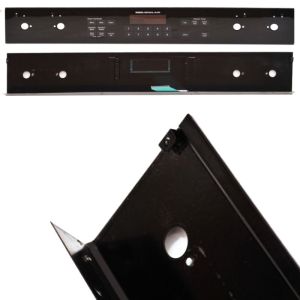
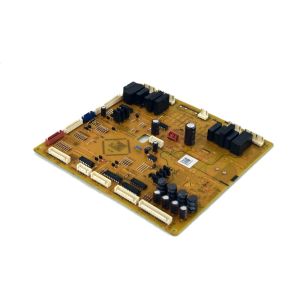
Whirlpool Control Panel with Touchpad WP71002310 OEM Part
was
$280.99
Special Price
$192.99
This manufacture part number # WP71002310 replaces our competitor’s part numbers: AP6010695, 71002310, 71002197, PS11743879, B001EYB66S, B001EY4I5E, 695608.
MFG Number
WP71002310
Availability:
Out of stock
Black Touchpad and Control Panel Assembly for Range/Stove/Oven
If your oven fails to respond to input commands, this component could be required. It is designed to work seamlessly with products from Whirlpool, Amana, KitchenAid, Maytag, Jenn-Air, Magic Chef, Roper, Admiral, Sears-Kenmore, and Ikea. The membrane switch plays a crucial role in managing various operational features and selecting cooking temperatures across a range of ovens, stoves, and ranges.
Should the membrane switch become faulty, an inability to choose the desired cooking settings may occur. In such instances, replacing the switch is advisable. To proceed with the replacement, first disconnect the oven's power supply. Move the range to access the side panels. Unscrew the fasteners from the rear of each panel, gently pull out the back corner, and disengage the clip to release the side panel. Slide the trim backward to clear the control panel. Remove the screws holding the membrane switch, install the new unit, and then reassemble the appliance.
This is an Original Equipment Manufacturer (OEM) replacement part, specifically tailored for use with Jenn-Air ranges, stoves, and ovens. It is directly obtained from the manufacturer and available for purchase as a single unit.
If your oven fails to respond to input commands, this component could be required. It is designed to work seamlessly with products from Whirlpool, Amana, KitchenAid, Maytag, Jenn-Air, Magic Chef, Roper, Admiral, Sears-Kenmore, and Ikea. The membrane switch plays a crucial role in managing various operational features and selecting cooking temperatures across a range of ovens, stoves, and ranges.
Should the membrane switch become faulty, an inability to choose the desired cooking settings may occur. In such instances, replacing the switch is advisable. To proceed with the replacement, first disconnect the oven's power supply. Move the range to access the side panels. Unscrew the fasteners from the rear of each panel, gently pull out the back corner, and disengage the clip to release the side panel. Slide the trim backward to clear the control panel. Remove the screws holding the membrane switch, install the new unit, and then reassemble the appliance.
This is an Original Equipment Manufacturer (OEM) replacement part, specifically tailored for use with Jenn-Air ranges, stoves, and ovens. It is directly obtained from the manufacturer and available for purchase as a single unit.
Write Your Own Review
Loading compatible models...