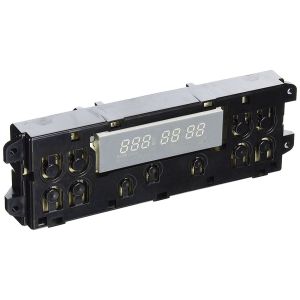

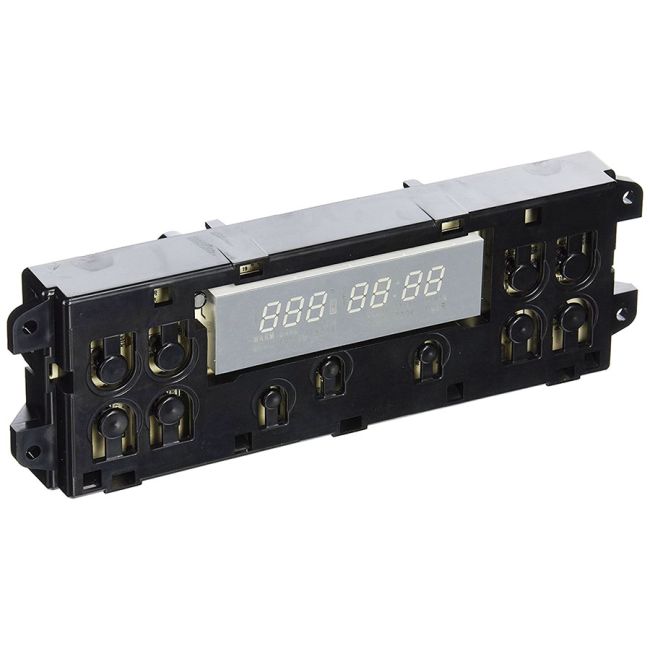


General Electric Control Board WB27K10148 OEM Part
was
$272.99
Special Price
$198.99
This manufacture part number # WB27K10148 replaces our competitor’s part numbers: AP3777179, 1086153, AH953679, EA953679, PS953679, WB27K10089, B00MOCQ76I.
MFG Number
WB27K10148
Availability:
In stock
In stock items are shipped the same day on all orders made before 4 PM Eastern Time. Orders made after 4 PM Eastern Time, Weekend or a Holiday will ship the following business day.
The electronic clock control panel is a fundamental component designed for a variety of ovens, including models from Hotpoint, General Electric, and Sears-Kenmore. This OEM part functions as the primary processor, overseeing critical operations such as heating, maintaining temperature, and managing power. Over time, wear and tear may lead to its malfunction. Indications of a failing control panel could include the oven failing to start, a non-illuminated digital display, or buttons that do not respond. When experiencing these issues, replacing the control board becomes essential.
To perform the replacement, first disconnect the oven from the power source. Access the upper rear panel by removing the screws that hold it in place. Lift off the panel to access the existing control board, which can then be removed by detaching it from its mounting brackets. Remove any fastening screws and disconnect the wire harness and all associated connections, noting the alignment of wires for proper reinstallation.
Connect the wires to the appropriate terminals on the new control board. Secure it with mounting screws, reattach the upper rear panel, and restore power to the oven. This authentic replacement component is sourced directly from the manufacturer and is compatible with General Electric, Hotpoint, and RCA ovens.
To perform the replacement, first disconnect the oven from the power source. Access the upper rear panel by removing the screws that hold it in place. Lift off the panel to access the existing control board, which can then be removed by detaching it from its mounting brackets. Remove any fastening screws and disconnect the wire harness and all associated connections, noting the alignment of wires for proper reinstallation.
Connect the wires to the appropriate terminals on the new control board. Secure it with mounting screws, reattach the upper rear panel, and restore power to the oven. This authentic replacement component is sourced directly from the manufacturer and is compatible with General Electric, Hotpoint, and RCA ovens.
Write Your Own Review
Loading compatible models...